Set Post-Flow action
Use the Set Post-Flow action to transfer an interaction to an inbound call flow, voice survey flow, or inbound message flow rather than disconnect the call to transfer to a post-call survey, external parties, trigger data actions, or post-interaction messages.
With this action, assign the post-flow action to the interaction so that the post-flow action stays on the interaction until you remove it with the Clear Post-Flow action or use the Transfer to Secure Flow action. For example, because the customer did not consent to the voice survey:
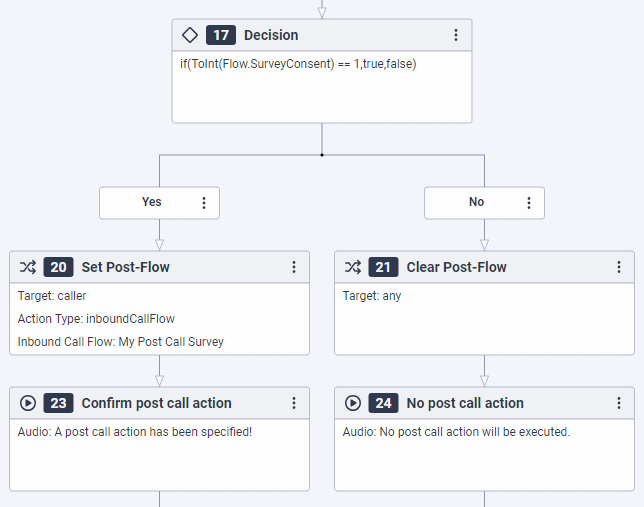
The action is available in inbound call flows, in-queue call flows, inbound message flows, and common module flows. To access the action, drag a Set Post-Flow action into the editor from the Flow category of the Architect toolbox and configure the action according to your design.
The following video demonstrates how the Set Post-Flow action works in an inbound call flow:
[NEXT] Was this article helpful?
Get user feedback about articles.