Monitor email routing activity
You can monitor the routing activity of Salesforce emails in Genesys Cloud for Salesforce.
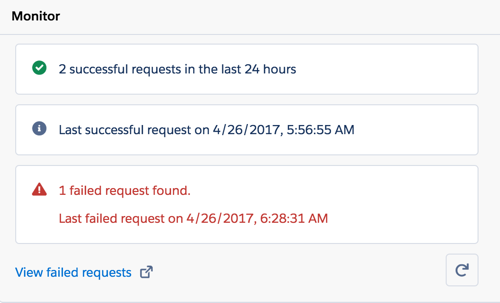
After you configure authentication, a Monitor section appears under Routing of Salesforce Emails on the managed package settings page. The Monitor section includes several subsections. At a glance, you can see whether email routing is working or not.
If any routing requests fail, a subsection appears that reports information about the failures. After you resolve or delete the failed requests, this subsection disappears.
To update the data in the subsections, click Refresh .
For more information, see Configure authentication, Managed package settings, Fix failed routing requests, and About Routing of Salesforce Emails.
For more information about the integration, see About Genesys Cloud for Salesforce.
[NEXT] Was this article helpful?
Get user feedback about articles.