Create an agentic virtual agent
Series: Create an agentic virtual agent
Next suggested step: Define an agent’s role and guidelines
The Create Agentic Virtual Agent panel allows you to name the agent and establish its role, and also allows you to randomly select an avatar for your agent.
To create an agent, follow these steps:
- Click Menu > Orchestration > AI Studio > Agentic Virtual Agents.
- Click Create agent. The Create Agentic Virtual Agent panel appears.
- To select an avatar randomly, click Refresh. Repeat this process until you are satisfied with the profile picture.
- In the Name field, enter a name that matches the objective of the agent. For example, “ACME Bank Assistant.”
- In the Role field, describe the role of the agent clearly.
- Click Create. The Agent profile view opens.
Next, establish the role and set guidelines for your agent on the Agent tab. For more information, see Define an agent’s role and guidelines.
Navigating the agentic virtual agent profile
The profile contains the following sections and a preview widget:
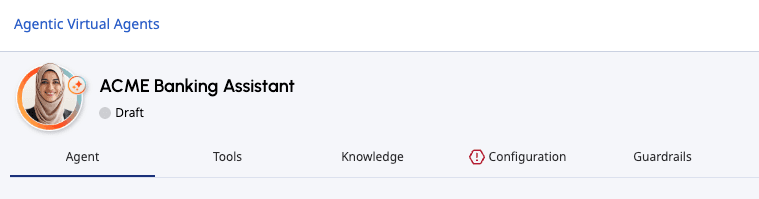
You can switch to any of the sections of the agentic virtual agent while creating a new agent, editing an existing agent, or viewing an agent. Any incomplete section is indicated by the icon preceding the section name. You can save an agent with an incomplete section but you cannot publish the agent until all sections are complete.
After you have completed all necessary sections of the agent setup, you can click Publish to publish the flow.

[NEXT] Was this article helpful?
Get user feedback about articles.