Configure the agent-owned column
Series: Configure the campaign management global settings
Previous suggested step: Configure contact list columns
Next suggested step: Configure zip code column
The global settings for the Campaign Management setup include an Agent Owned Columnsection. In this section, you can associate a field in campaign member records in Salesforce with a column in a contact list in Genesys Cloud that contains agents’ Genesys Cloud email addresses or Genesys Cloud user IDs.
This configuration links campaign members to particular agents. When a preview campaign runs, campaign members are routed to their assigned agents. For more information, see Agent-owned records for preview campaigns.
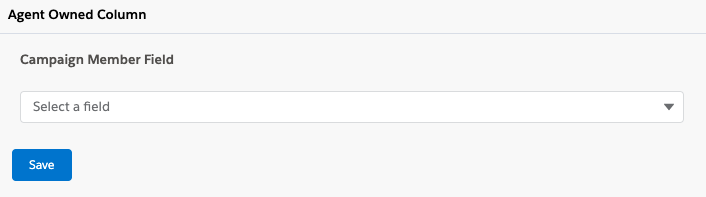
- Under Agent Owned Column, select a Campaign Member Field.
This field appears on campaign member records in Salesforce.
You can select a default field or a custom field, but this field must contain agents’ Genesys Cloud email addresses or Genesys Cloud user IDs.
- Click Save.
Next, select Enable Agent Owned Dialing in the campaign settings.
For more information, see About Campaign Management in Genesys Cloud for Salesforce and About Campaign Management in CX Cloud from Genesys and Salesforce.
[NEXT] Was this article helpful?
Get user feedback about articles.