View associate activity history
Inbound and outbound voice interactions activity history, including calls placed on behalf of a queue, appear in your call history in the Calls panel.
To see your activity history, follow these steps:
- From the Menu bar, click Calls .
- Click View Associate Activity History
 .
.
When available, the activity history displays the following information:
- Phone number
- Caller
- External Contact
- Queue
- Email address
- Group name
To return an interaction, click the action icon in the lower right of the interaction card. To see other participants in the interaction, at the top of the interaction card, click Participants . To see details of the interaction, click anywhere else on the interaction card.
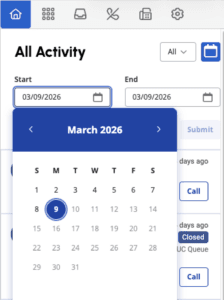
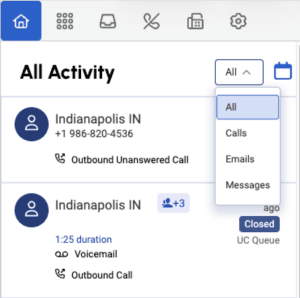
You can filter your activity history by the following:
- Date range
- Interaction type.
[NEXT] Was this article helpful?
Get user feedback about articles.