Schedule bid overview
Use the Schedule Bid page to view the upcoming, current, and past work plans or schedule set bids. You can also view the ranking preferences provided for a particular bid. Based on your selection, when the schedule is published, your allocated work plan or schedule set is generated automatically.
Access your Schedule Bid
To access the schedule bids details, click Menu > My Activity > Schedule Bid. The Schedule Bid Status page is displayed.
- To see the most current data, click Refresh. This view does not update automatically. View the details required from the corresponding sections.
Schedule Bid Status page
The Schedule Bids Status page displays the following sections:
- Bidding Cycle Open: This section provides details of the bid that is currently in open status. Click Select Work Plans or Select Schedule Set to proceed with assigning rank to the preferred options.
- Bidding Cycle Closed: This section provides details of the bid that is in closed status. Click View Ranked to view the rankings you had previously assigned.
- Allocated Schedule Set Details or Work Plan Details: This section provides details of the allocated work plan or schedule set. For schedule set, you can view the shifts both in day and week formats for the scheduled weeks. Click the back and forward button available to navigate across days or weeks.
Navigate to schedule bid page to assign ranks
To navigate and assign bidding options, in the Bidding Cycle Open section, click the Select Work Plans or Select Schedule Set. The Schedule Bid page is displayed.
Assign rank to work plan(s)
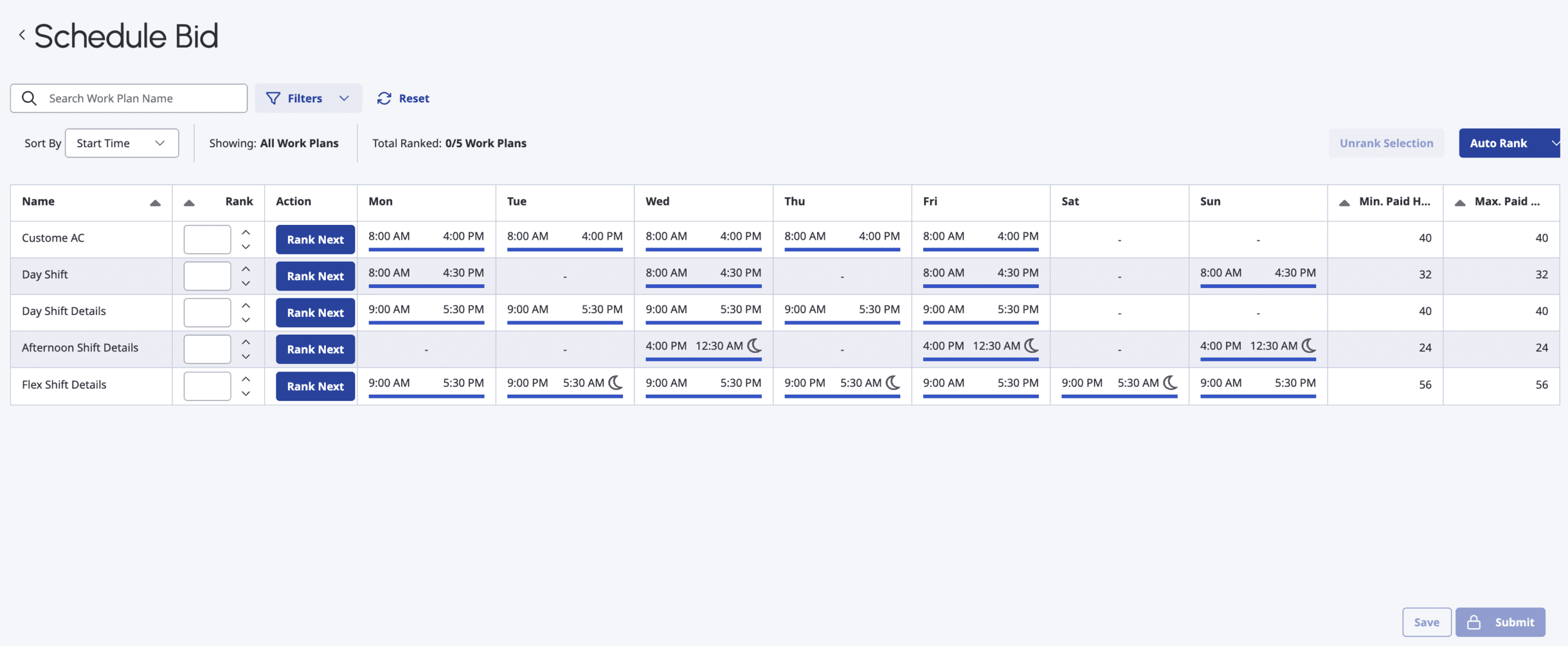
To assign ranking to your work plan(s), perform the following steps:
- In the Rank field, assign a number to indicate the priority order for your bid. You have to manually assign numbers for each of the work plan listed.
- Click Auto Rank list to view the options to automatically assign work plan priority. You can select from one of the options to automatically assign the order.
- Click Rank Next available in the Action column to manually rank the work plan. You can provide your preference in any order.
- Click Unrank from the list to manually unrank a work plan. You can clear the entire selection by clicking the Unrank selection button on the top right of the table.
- Click Save to save your changes to a draft.
- Click Submit to submit your ranking preferences.
Assign rank to schedule set(s)
You can view the schedule set(s) in both day and week view formats for the scheduled weeks. Click the back and forward button available to navigate across days or weeks.
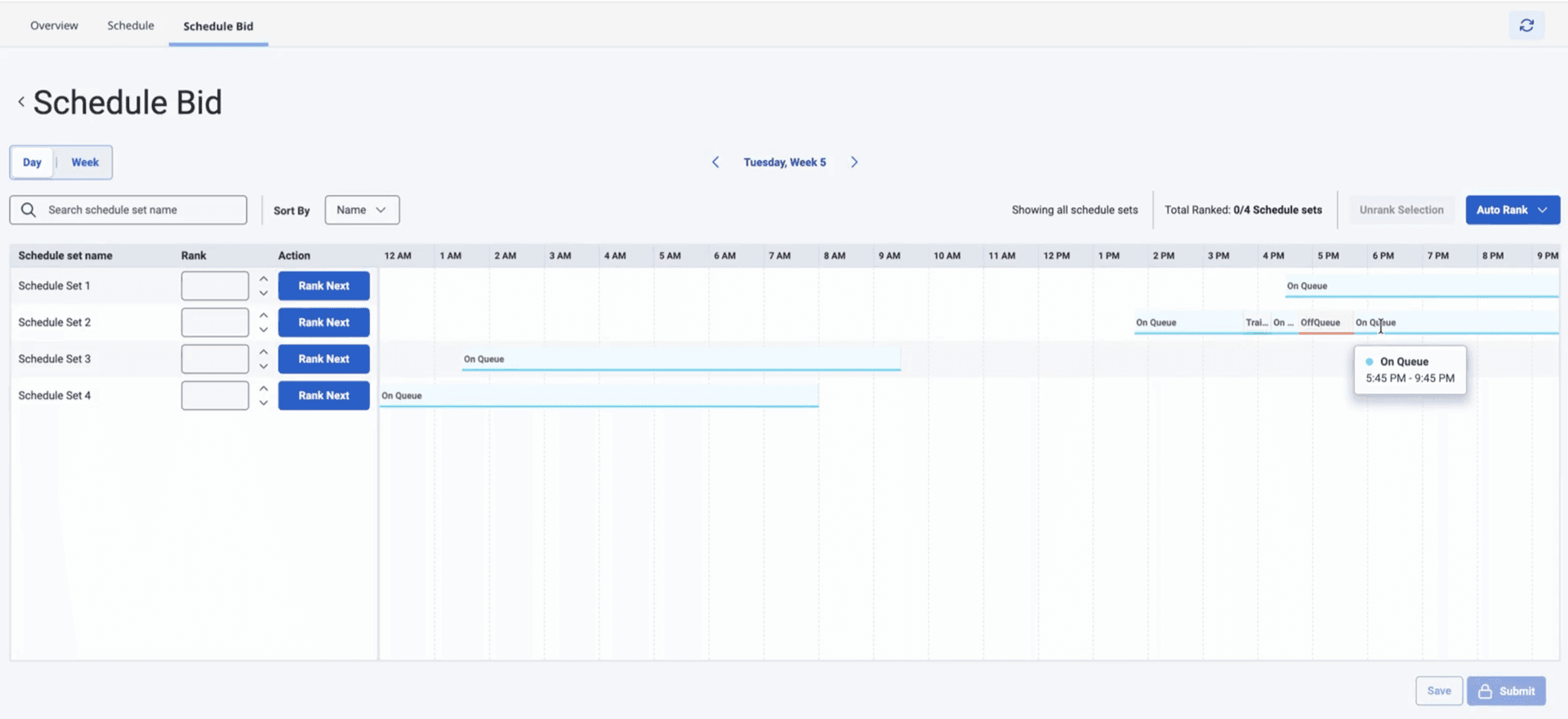
To assign ranking to your schedule set(s), perform the following steps:
- In the Rank field, assign a number to indicate the priority order for your bid. You have to manually assign numbers for each of the schedule set listed.
- Click Auto Rank list to view the options to automatically assign work plan priority. You can select from one of the options to automatically assign the order.
- Click Rank Next available in the Action column to manually rank the work plan. You can provide your preference in any order.
- Click Unrank from the list to manually unrank a work plan. You can clear the entire selection by clicking the Unrank selection button on the top right of the table.
- Click Save to save your changes to a draft.
- Click Submit to submit your ranking preferences.
[NEXT] Was this article helpful?
Get user feedback about articles.