Configure field mappings between Genesys Cloud interaction attributes and Salesforce custom fields
Note: This article applies to CX Cloud, Digital and AI for Salesforce Service Cloud.
The Field Mapping tab on the Genesys Digital and AI Integration Setup configuration allows you to map Genesys Cloud conversation attributes to Salesforce custom fields on the Experience and Email Experience objects.
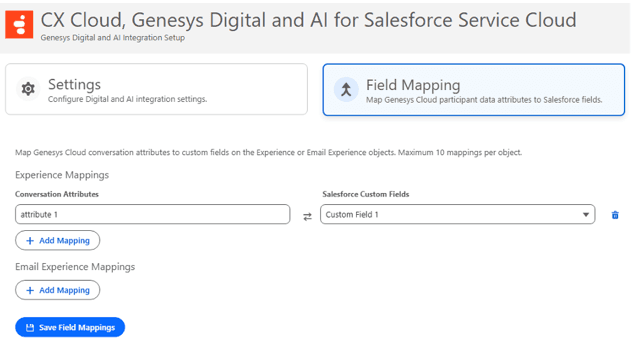
To add a mapping:
- Either from the Experience Mappings or Email Experience Mappings section, click Add Mapping.
- Enter the Genesys Cloud conversation attribute name. For example,
attribute 1. - Select the target Salesforce custom field from the drop-down.
- Click Save Field Mappings to persist the configuration.
When a new Experience or Email Experience record is created for an interaction, the package automatically populates the corresponding Salesforce fields with the values from each mapped conversation attribute.
Notes:
- A maximum of 10 mappings can be configured per object.
- Both fields in each row are required before saving.
- Duplicate conversation attributes or Salesforce fields within the same section are not permitted.
- Only customer-created custom fields are available in the drop-down.
[NEXT] Was this article helpful?
Get user feedback about articles.