Work with unavailable times
Agents have busy lives, so maintaining a balance between work and personal life is important. Unavailable Times enables agents to indicate their unavailability when they cannot work, such as a doctor’s appointment, a class, or personal tasks. When agents add these times directly in Workforce Management (WFM), the system can create schedules that respect their personal time while still meeting business needs. Click the image to enlarge.
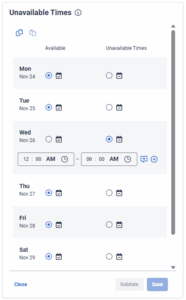
When agents record their unavailable times, WFM uses this information as a hard scheduling constraint, meaning it will not assign work during those periods. The system builds schedules around the provided times wherever possible, selecting shifts or shift variations from the agent’s assigned work plan that fit outside those unavailable periods. To support this, it’s important that work plans are designed with enough flexibility, such as multiple shift options or start to end time variations so WFM can successfully generate a valid schedule.
Unavailable times do not result in split shifts. Instead, WFM will look for an alternative full shift that aligns with the agent’s availability and complies with their work plan rules. For example, if an agent cannot start before 10 a.m., the system might assign a 10 am to 6 pm shift instead of the usual 8 am to 4 pm schedule.
Agents can set unavailable times up to 53 weeks in advance and validate their entries before saving. If WFM detects that a requested unavailable time conflicts with the work plan or prevents a valid shift from being scheduled, it displays warning messages to inform agents about the issues with their requested times. Agents may still choose to save unavailable times with warnings, in which case their scheduler must work with them to finalize a shift manually. By capturing unavailable times, WFM helps create schedules that align better with agents’ real-life availability, leading to improved satisfaction, reduced scheduling conflicts, and greater fairness across the workforce.
Work with unavailable times
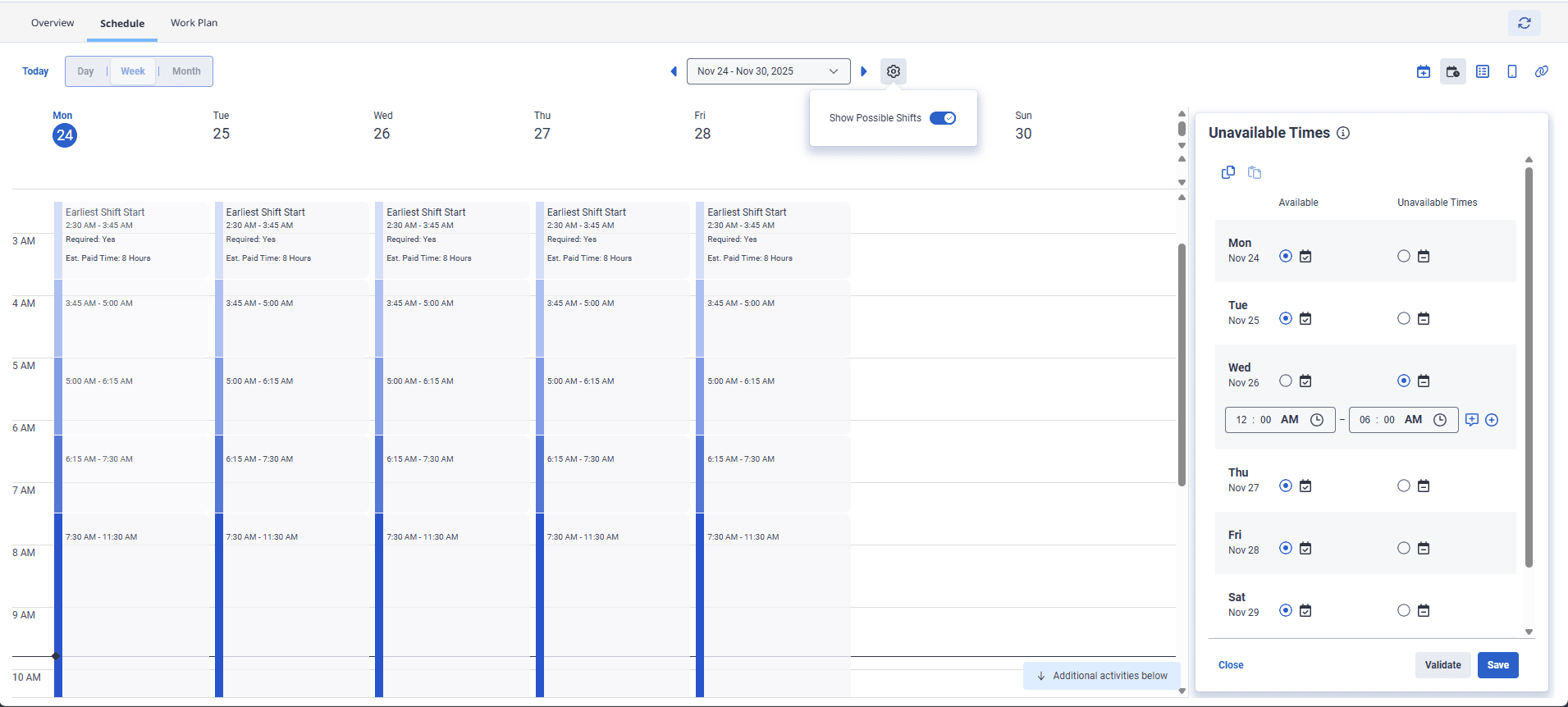
The following section describes the actions that can be performed as an agent and administrator. Click each section for additional information.

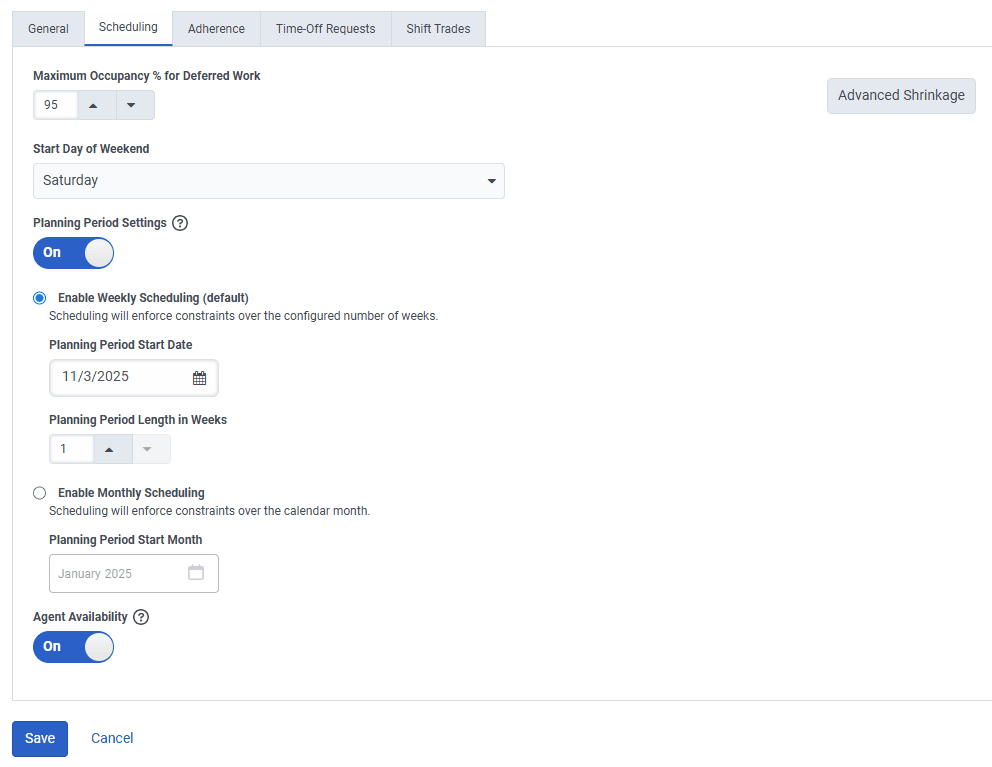 Scheduling tab in the
 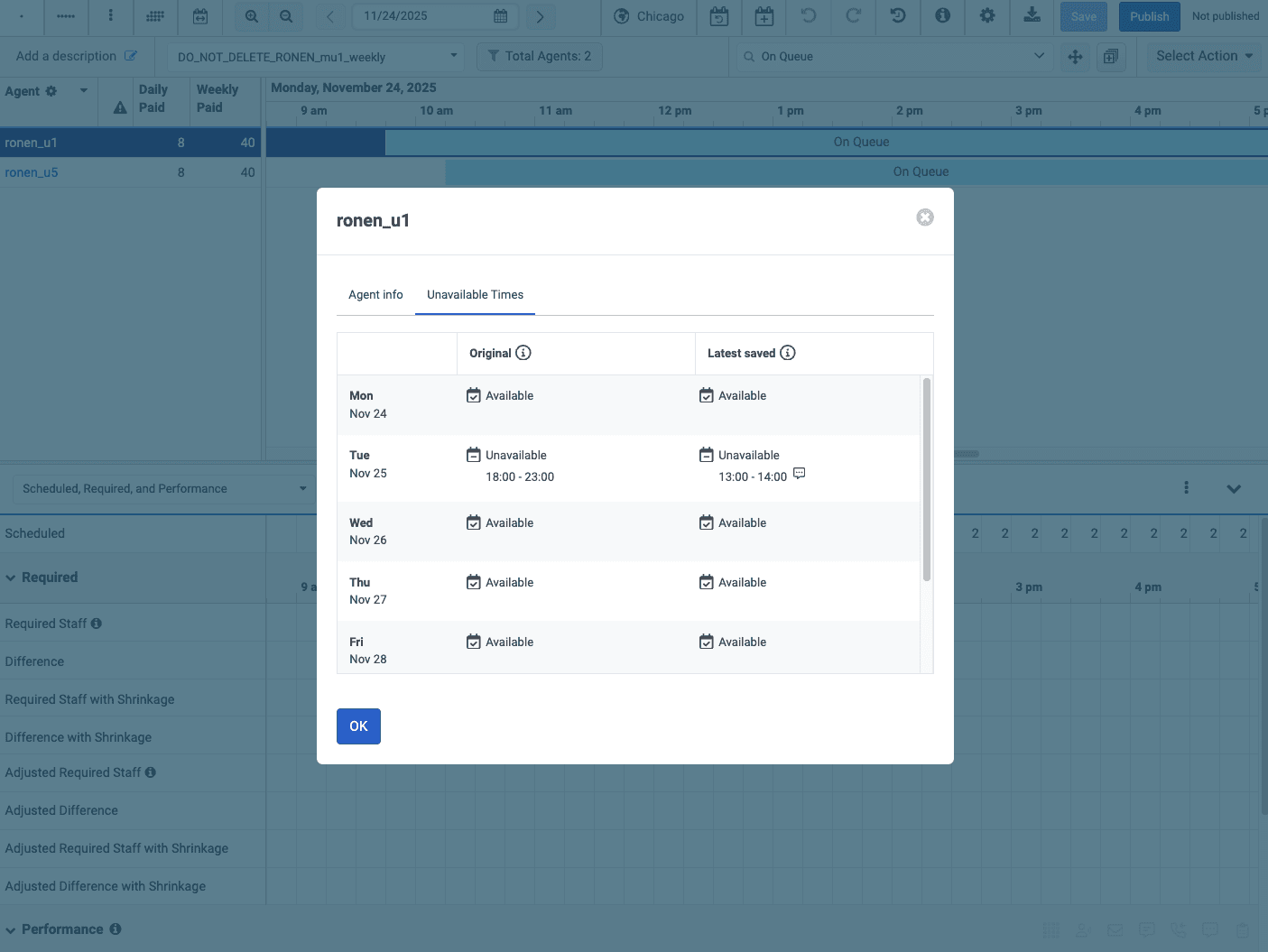 Unavailable Times tab in the
 [NEXT] Was this article helpful?
Get user feedback about articles.