Requirements for WebRTC phones
Note: This article applies to Genesys Cloud Embeddable Framework, Genesys Cloud for Salesforce, and Genesys Cloud for Zendesk.
To use WebRTC phones, you must do the following:
- Use the latest version of Chrome or Firefox.
- Turn off the pop-up blocker in your browser.
A separate WebRTC window must be able to open for the following users:
- Genesys Cloud for Salesforce users who use Sales Cloud (or Service Cloud with the Pop WebRTC Phone window setting selected).
- Genesys Cloud for Zendesk users who select the Pop WebRTC Phone window setting.
- Genesys Cloud Embeddable Framework users whose solution is configured to pop the WebRTC Phone window by default or who select the Pop WebRTC Phone window setting. For more information, see settings in the Genesys Cloud Developer Center.
- Genesys Cloud for Microsoft Teams users who use a web or desktop client for Microsoft Teams.
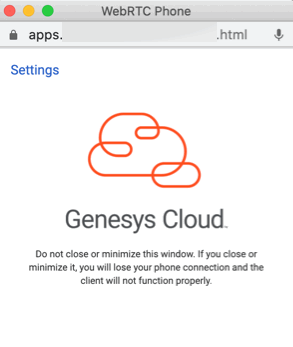
This window establishes and maintains WebRTC phone connectivity. Pop-up blocker prevents this window from opening. For more information, see Browser window for WebRTC phones.
The following image shows the WebRTC Phone window for Chrome browser users.
For recommendations about supported web browsers, see Genesys Cloud system requirements.
For more information about the integrations, see About Genesys Cloud Embeddable Framework, About Genesys Cloud for Salesforce, and About Genesys Cloud for Zendesk.
[NEXT] Was this article helpful?
Get user feedback about articles.